v4.0.0 — 10 Years & Full Panel Customization
This release marks 10 years of Add Username to Top Panel — first published on September 4, 2016. To celebrate, we’re shipping the most feature-rich update in the extension’s history.
What’s New
Preferences Panel (Issue #29)
A complete settings interface built with libadwaita, accessible from GNOME Extensions preferences. All customization options are now available in one place.
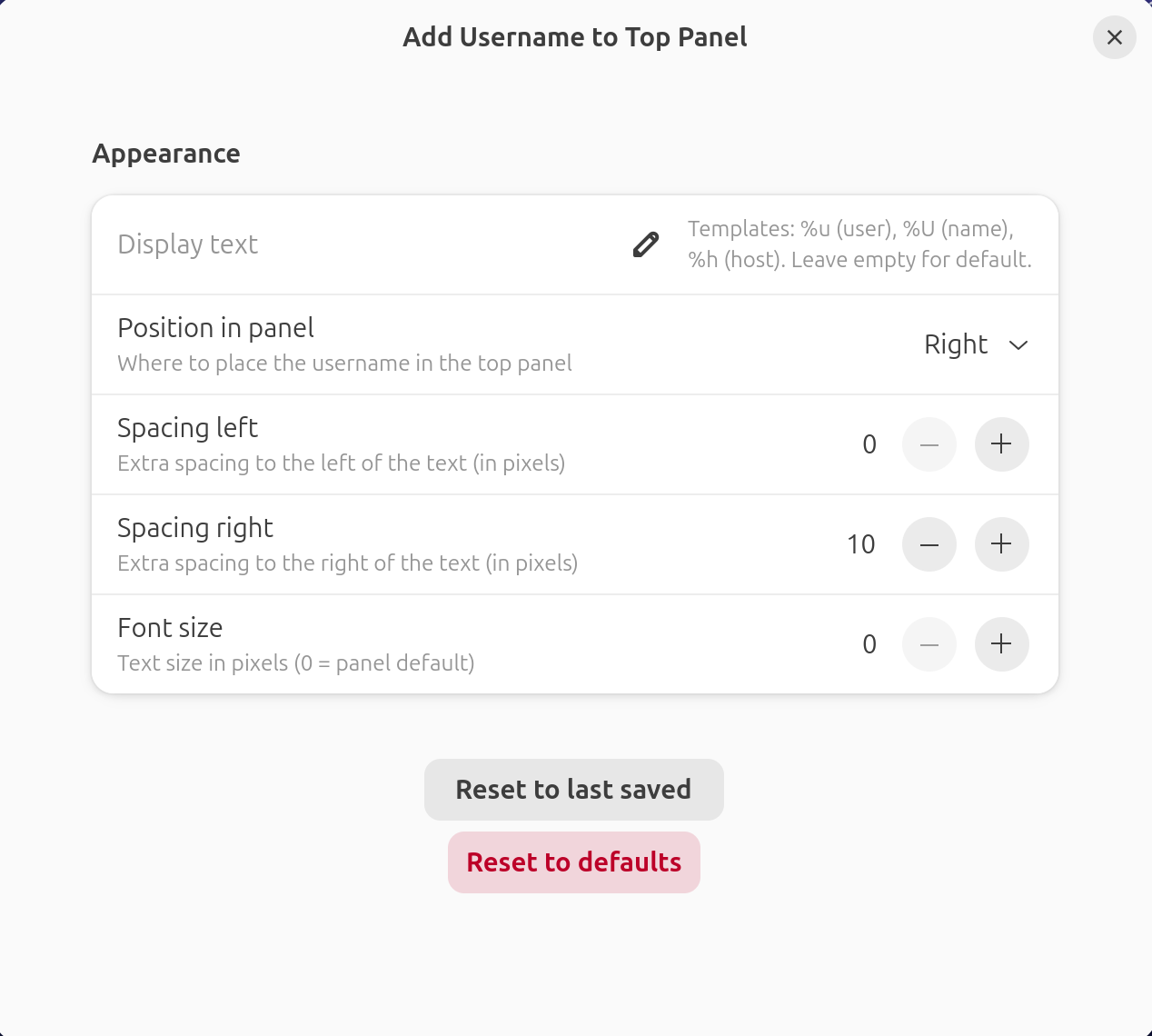
Template Variables & Real-Time Updates (Issue #30)
Personalize your display text using template variables:
%u— login username%U— display name%h— hostname
Settings changes apply instantly without restarting GNOME Shell.
Position Control (Issue #31)
Choose where your username appears in the top panel:
- Left — before other indicators
- Center — between left and right groups
- Right — after other indicators (default)
Spacing & Font Size (Issue #32)
Fine-tune the visual appearance:
- Left spacing — gap before the username (default: 10px)
- Right spacing — gap after the username (default: 10px)
- Font size — scale the text independently of the panel default
Reset buttons with confirmation dialogs make it easy to return to defaults.
Breaking Changes
- The default right spacing is now 10px (was 0px) to provide visual separation from other indicators.
Installation
Update to the latest version:
gnome-extensions install add-username-toppanel@brendaw.com.zip
Or install from GNOME Extensions.
Full Changelog
See the CHANGELOG for complete details.